Comparing recordings
Compare recordings under Tools in the sidebar compares two log files, for example a recording of a working vehicle with one of a faulty one, or the traffic before and after a software update. It shows which identifiers appear in only one recording, which changed their cycle time, length or payloads, and, with a signal database, which signal values differ.
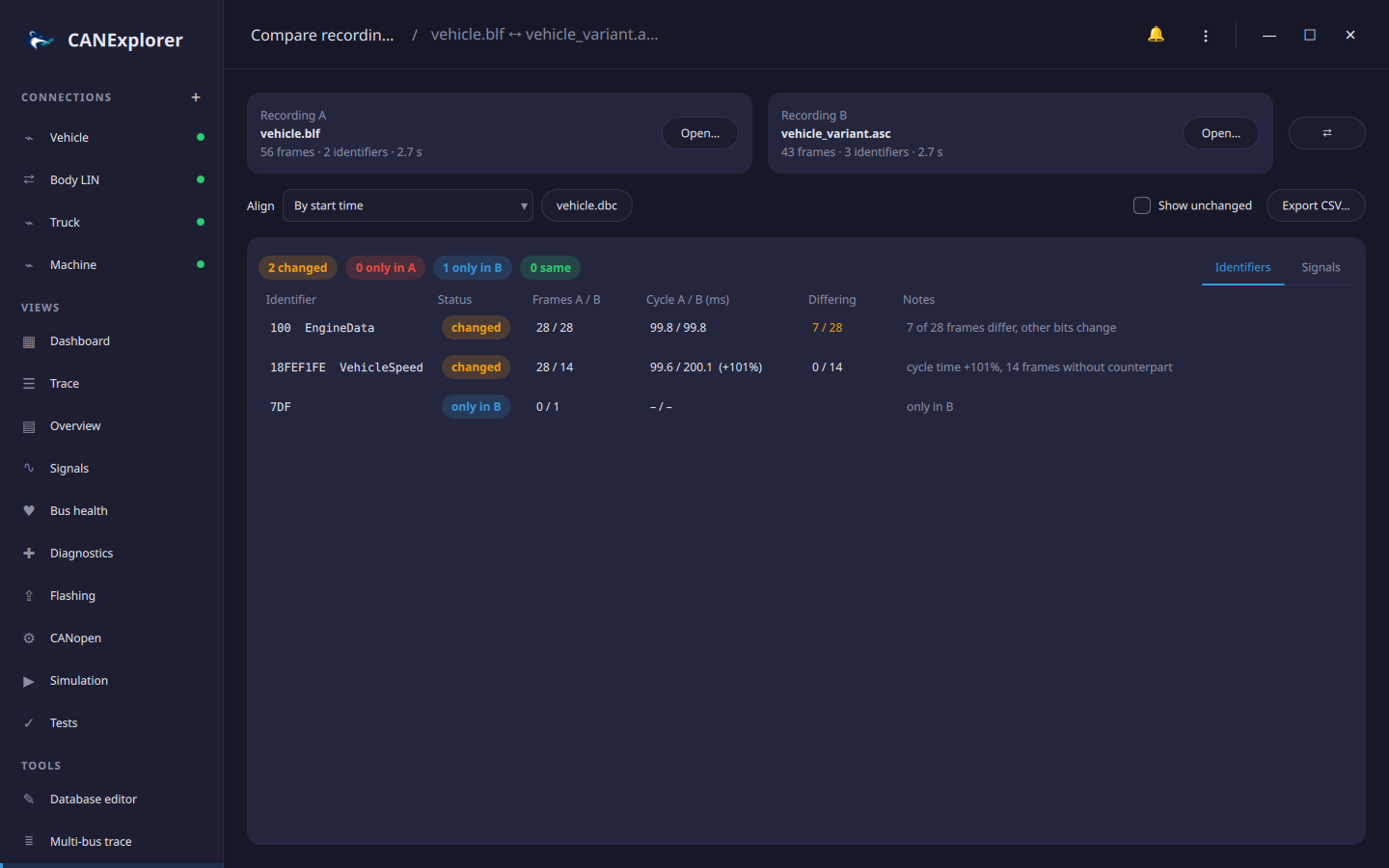
Recordings
Open… in the Recording A and Recording B cards reads a log file in any of the replayable formats, which can differ between A and B (e.g. a BLF file with an ASC file). The cards show the number of frames and identifiers and the duration. ⇄ swaps A and B. Error and remote frames are not compared.
Alignment
To compare payloads and signal values, the frames of an identifier in A are paired with frames in B:
| Align | Pairs |
|---|---|
| By start time | Frames at the same time since the start of each recording |
| By first frame of an identifier | Frames at the same time since the first frame of the given identifier (hex, e.g. 100 or 18FEF100) in each recording, such as a wake-up or ignition message. When it is missing in a recording, the start is used and a note says so |
| By frame sequence | The first frame of an identifier in A with its first frame in B, the second with the second, and so on, whatever their times |
Aligned by time, a frame is paired with the nearest frame of the same identifier in B that is at most half a cycle (and at most 0.5 s) away; frames without such a counterpart are counted.
Identifiers
The Identifiers tab lists every identifier with:
| Column | |
|---|---|
| Status | changed, only in A, only in B, or same (shown with Show unchanged) |
| Frames A / B | Number of frames in each recording |
| Cycle A / B | Median time between frames in milliseconds, with the change when it is 1 % or more |
| Differing | Paired frames with different payloads, of all paired frames |
| Notes | Why the identifier counts as changed: cycle time more than 10 % different, other lengths, differing frames, bits that change in one recording but not in the other, frames without counterpart |
Hovering an identifier with differing frames shows the time of the first difference and both payloads. With a database loaded, identifiers show their message names.
Signals
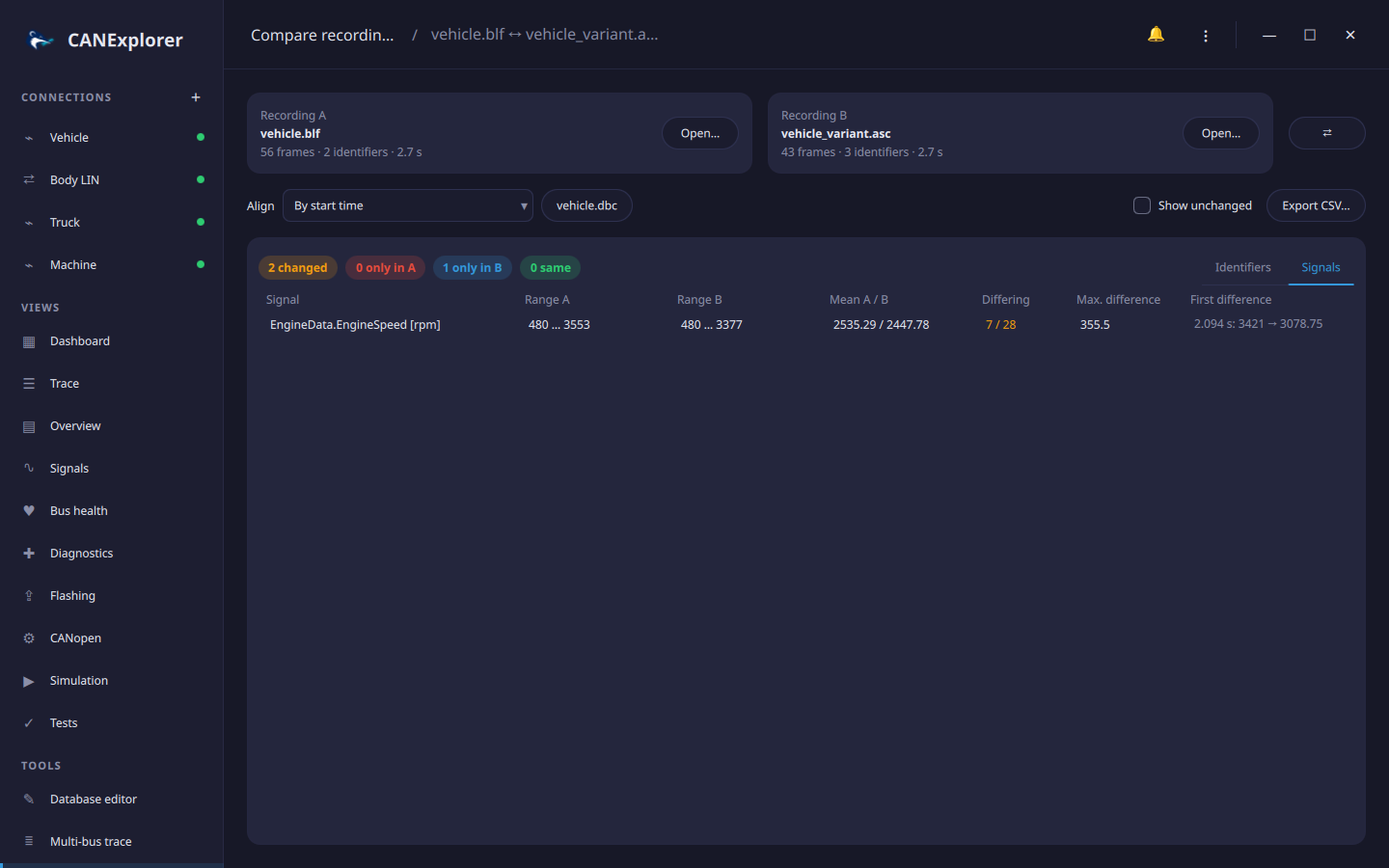
Database… loads a signal database (DBC, DBF, KCD, SYM, ARXML or LDF) and enables the Signals tab. For each signal it shows the range and mean of its values in A and B, the paired frames in which its value differs, the largest difference and the first one, e.g. 2.095 s: 3381 → 3042.75. Changed signals are listed first; Show unchanged also lists the others.
Export
Export CSV… saves the identifier comparison, one line per identifier with the status, frame counts, cycle
times, paired and differing frames, the first difference with both payloads and the notes, separated by ;.