Trace and overview
Trace
The trace lists every received (Rx) and transmitted (Tx) frame in arrival order.
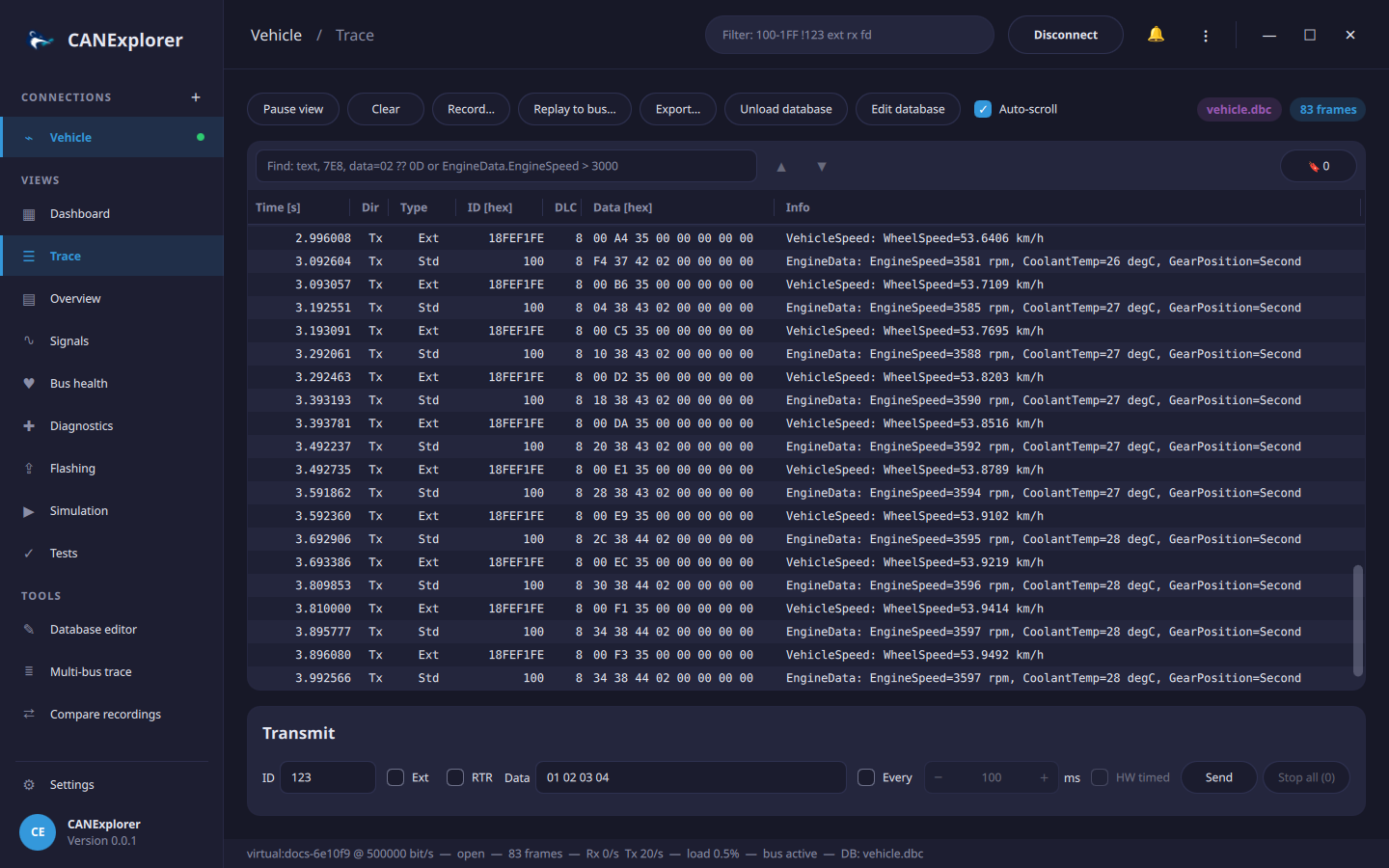
| Column | Content |
|---|---|
| Time [s] | Time since the first frame of the session |
| Dir | Rx or Tx |
| Type | Std or Ext identifier, plus FD, RTR (remote frame) and ERR (error frame) |
| ID [hex] | Identifier, 3 digits for standard and 8 for extended identifiers |
| DLC | Data length code |
| Data [hex] | Data bytes |
| Info | Protocol decoding and decoded signals of the loaded database |
With Auto-scroll the trace follows new frames unless rows are selected.
Long recordings
The most recent frames, 100 000 by default, are kept in memory. Older frames move to temporary files on disk, up to the trace history (5 million frames by default), so the trace can be scrolled, filtered, searched and exported through millions of frames with little memory; beyond the history the oldest frames are dropped. The files are in the cache directory of the user (not in the system's temporary directory, which is often in memory) and are deleted when the connection is cleared or closed. Both limits and the directory are set in the preferences; a history of 0 keeps only the frames in memory. If the disk becomes full, the trace continues with the frames in memory and says so.
Search
The find bar above the trace searches the rows (Ctrl+F focuses it; Enter or F3 finds the next, Shift+F3 the previous match; the search wraps around at the ends):
| Search for | Example |
|---|---|
| A condition | EngineData.EngineSpeed > 3500, 7E8, 7E8 data=03 7F ??, ext rx |
| Any text of the row: identifier, data or info | GearPosition=Second, 41 0D |
| Text that also looks like a condition, in quotes | "BEEF" (without quotes: the identifier 0xBEEF) |
The search runs in the background, also through frames on disk; Esc in the find field cancels it. Pause the view to search a fast changing trace.
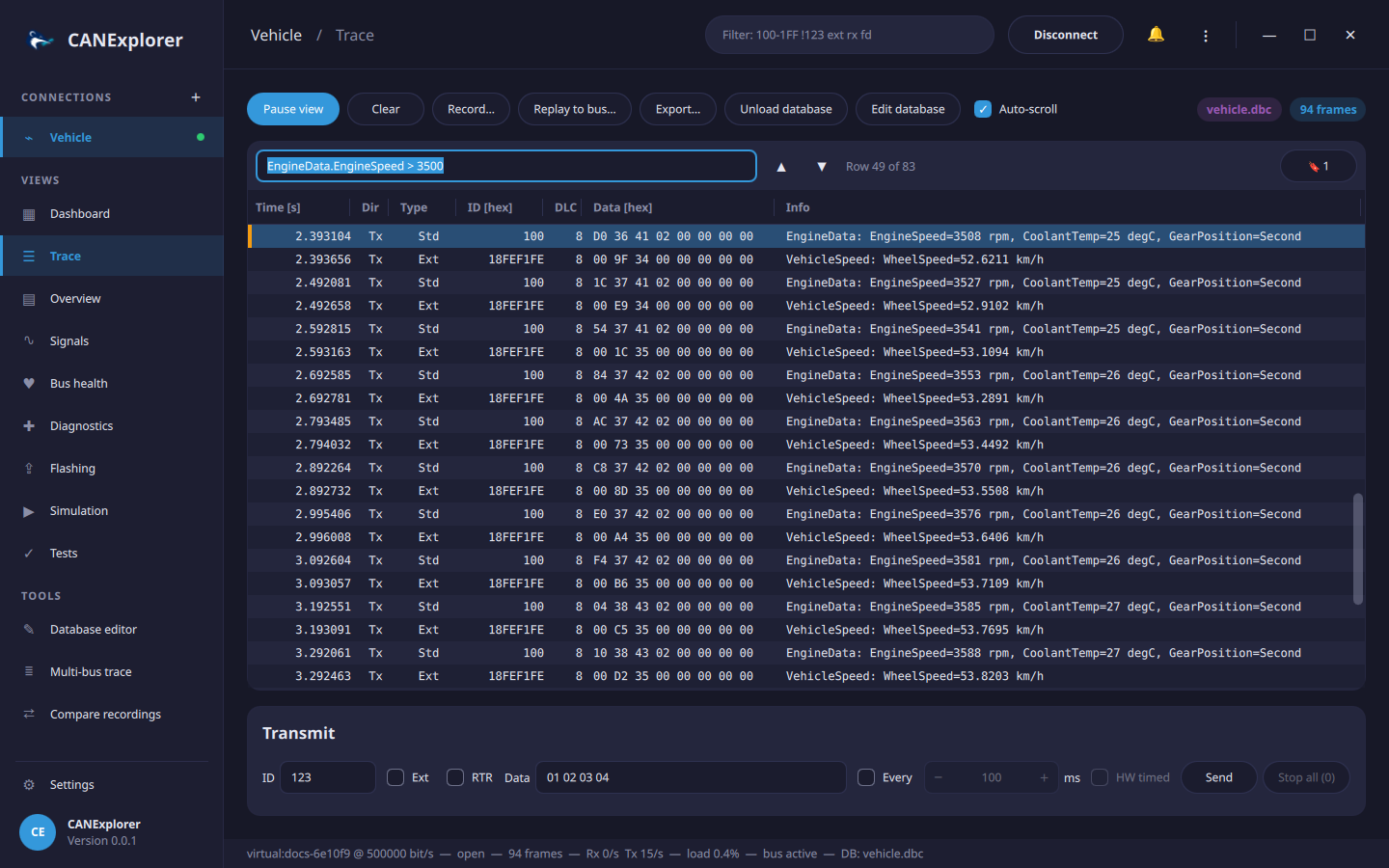
Bookmarks
Ctrl+B (or Bookmark in the context menu of a row) bookmarks the selected rows, or removes their bookmarks; bookmarked rows have an orange mark. The 🔖 button lists the bookmarks with their time, identifier and information; click one to jump to it, add a note, or remove it. Bookmarks of frames that left the trace remain in the list, marked as no longer available.
Context menu
A right click on a row offers bookmarking, copying the selected rows, finding, and — in replays — Replay from here.
Overview
The overview has one row per identifier and direction, sorted by identifier.
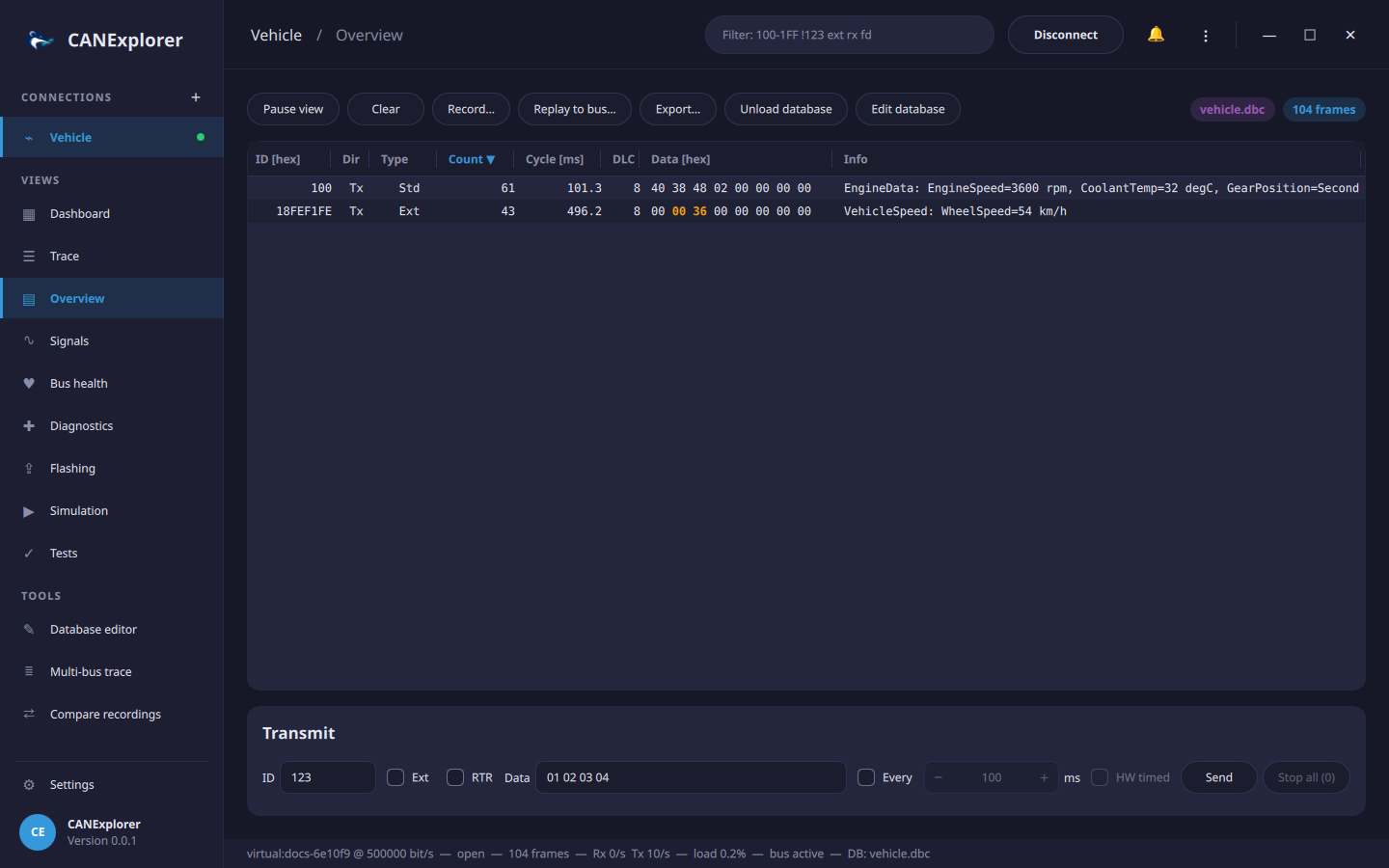
| Column | Content |
|---|---|
| Count | Number of frames |
| Cycle [ms] | Time since the previous frame of the identifier |
| Data [hex] | Latest data; bytes that differ from the previous frame of the identifier are highlighted in bold orange (the warning colour of the theme) |
Click a column header to sort the overview by that column, click it again to reverse the order, and a third time to return to the identifier order. The sorted column is marked with ▲ or ▼. Rows move as their values change (e.g. when sorted by count), and selected rows stay selected.
Toolbar
The Connect / Disconnect button (Replay / Stop for log files) and the filter field are in the top bar; the trace, overview and signals views have these buttons:
| Button | Action |
|---|---|
| Pause view | Freeze the views; frames are still received, recorded and counted, and appear when the view is resumed |
| Clear | Remove all frames, statistics and plot data of the connection |
| Record… | Record to a log file, see Recording, replay and export |
| Replay to bus… | Transmit a log file on the bus, see Replaying on the bus |
| Export… | Save the selected trace rows, or all displayed rows, to a log file |
| Load database… | Load a signal database or a CDD diagnostic description, see Signal databases |
| Bus selector | Shown for databases describing several buses |
| Auto-scroll | Keep the newest frame of the trace visible |
Column widths
Drag the right edge of a column header to make the column wider or narrower; double-click the edge to restore its width. The last column (Info) takes the remaining width. This works in the trace, the overview and the multi-bus trace.
Selecting and copying
Click rows to select them; Shift and Ctrl extend the selection. ⋮ → Copy Selected Rows (Ctrl+C) copies them as tab separated text with a header line, e.g. to paste into a spreadsheet. ⋮ → Select All (Ctrl+A) selects all rows of the current view.
Bus statistics
The dashboard and the status line are updated every second:
- Rx/Tx frame rates in frames per second.
- Load: estimated share of time the bus is busy, computed from the frame sizes and the bitrate (and the data bitrate for CAN FD frames with bitrate switch). Bit stuffing is not included, so the real load can be up to about 20 % higher. For LIN, headers and responses are counted at the LIN baud rate. Not shown for replays.
- Error frames received.
- Bus state (
active,passive,errorfor bus off) where the interface reports it.