Preferences and settings
Preferences
Settings in the sidebar (or ⋮ → Preferences…) opens the preferences:
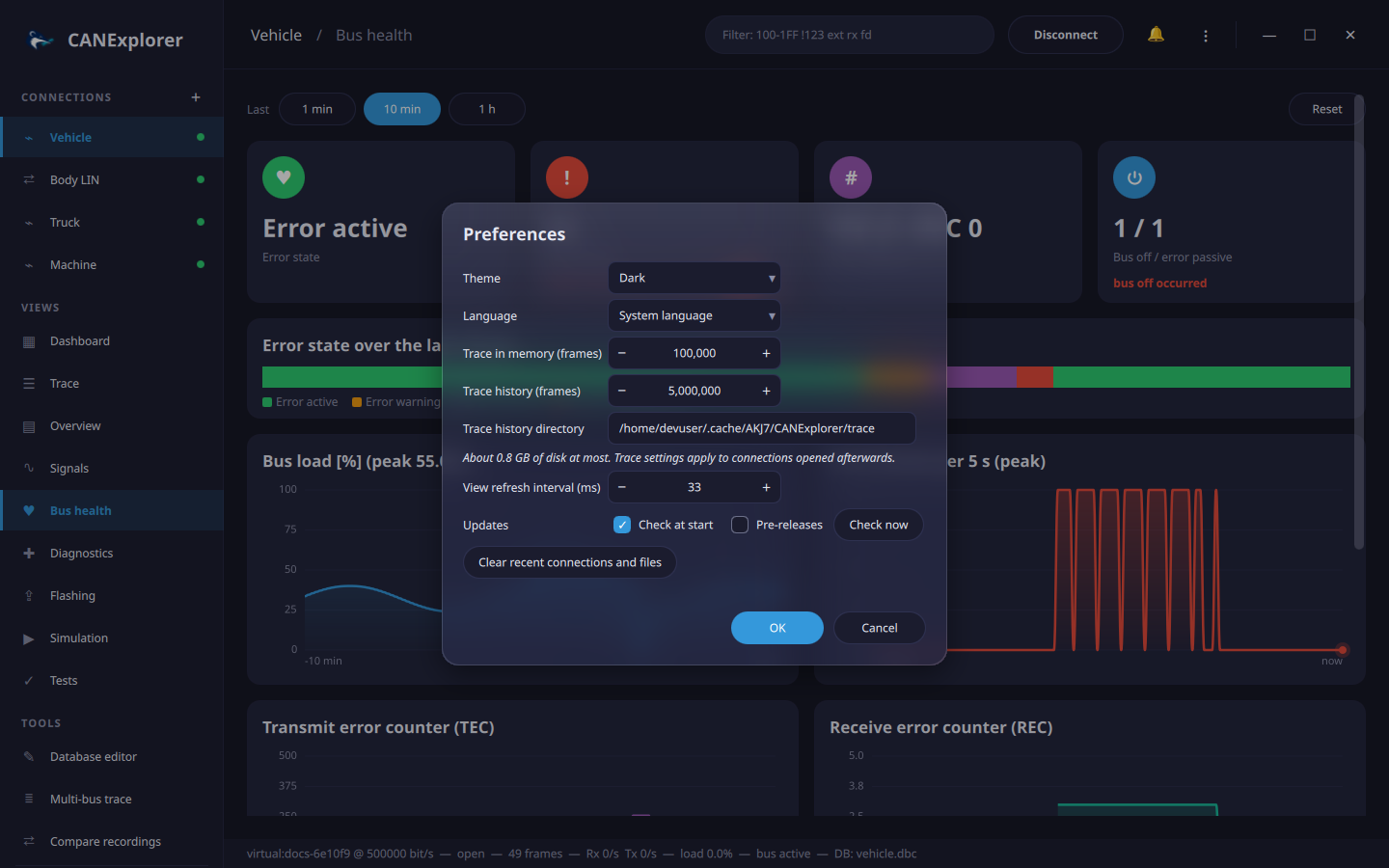
| Setting | Default | Range | Description |
|---|---|---|---|
| Theme | Dark | Dark, Purple, Nord, Ocean, Forest, Light | Colours of the user interface; applies immediately |
| Language | System language | English, Deutsch | Language of the user interface; applies immediately. Texts without a translation stay in English; see Translations to add a language |
| Trace in memory (frames) | 100 000 | 1 000 – 2 000 000 | The most recent frames of the trace, kept in memory |
| Trace history (frames) | 5 000 000 | 0 – 50 000 000 | Frames of the trace kept in total, the older ones on disk (about 160 bytes each); 0 keeps only those in memory. See long recordings |
| Trace history directory | the cache directory | Where the temporary files of the history go, e.g. ~/.cache/AKJ7/CANExplorer/trace on Linux |
|
| Updates: check at start | On | Look for new releases on GitHub at most once a day; see Updates | |
| Updates: pre-releases | Off | Also offer release candidates and other pre-releases | |
| View refresh interval (ms) | 33 | 16 – 1 000 | How often new frames are shown; longer intervals reduce the CPU load on busy buses |
The trace settings apply to connections opened afterwards.
Clear recent connections and files empties the recent lists (connections, log files, workspaces) of the ⋮ menu and the welcome page.
Stored state
CANExplorer remembers the recent connections and log files, the preferences, the theme, the width of the sidebar and the window position and size. They are stored with Qt's settings mechanism:
| Platform | Location |
|---|---|
| Linux | ~/.config/AKJ7/CANExplorer.conf |
| Windows | Registry, HKEY_CURRENT_USER\Software\AKJ7\CANExplorer |
| macOS | ~/Library/Preferences/com.akj7.CANExplorer.plist |
Application settings
Logging and other application settings are read from CANEXPLORER_* environment variables, a .env file in the
working directory and the command line; see Command line.