Database editor
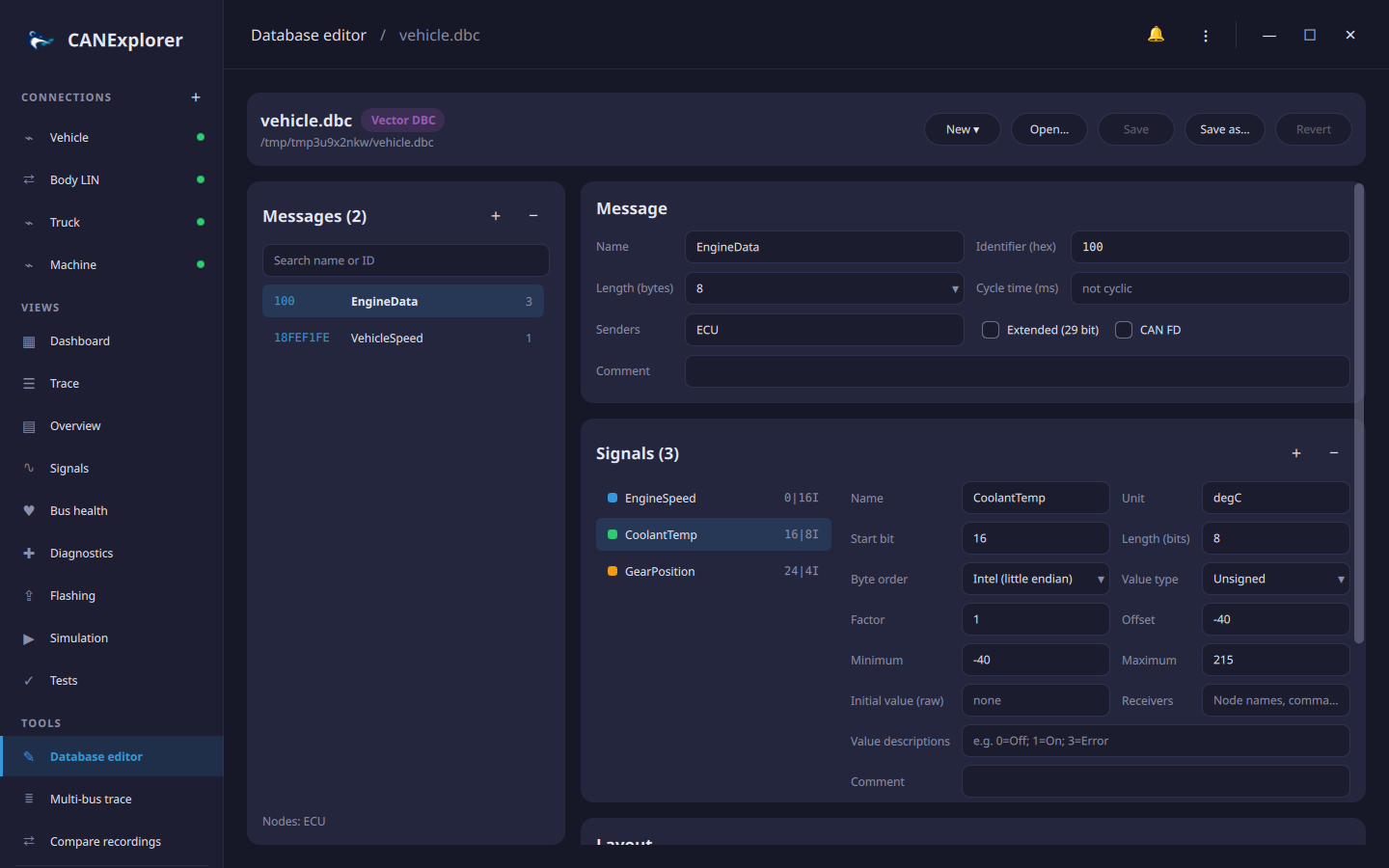
The database editor creates and changes signal databases: CAN databases with their messages, signals and nodes, and LIN description files with their frames, signals, nodes, encoding types and schedule tables. Open it with Database editor under Tools in the sidebar, ⋮ → Edit Signal Database…, the welcome page, or Edit database in the toolbar of a connection, which opens the database the connection decodes with.
Formats
| Format | Open | Save |
|---|---|---|
Vector DBC (.dbc) |
✓ | ✓ |
BUSMASTER DBF (.dbf) |
✓ | ✓ |
Kayak KCD (.kcd) |
✓ | ✓ |
PCAN Symbol (.sym) |
✓ | ✓ |
AUTOSAR ARXML (.arxml) |
✓ | Save as one of the CAN formats above |
LIN description file (.ldf) |
✓ | ✓ (see LIN databases) |
New ▾ creates an empty CAN or LIN database. CANdelaStudio diagnostic descriptions (CDD) cannot be edited.
Save writes back to the opened file; Save as… writes another file, in the format of its extension, which also converts the database. When the format cannot hold everything, the editor lists what was left out under Notes, for example several senders of a message in a DBF file, or senders and receivers in a SYM file. Revert reloads the file and discards the changes. An orange dot next to the file name and next to Database editor in the sidebar marks unsaved changes; opening another file, creating a new one or quitting asks before they are lost.
Connections that decode with the saved file reload it, so the trace, overview and signal plots use the changes right away.
Messages
The list on the left shows the identifier, name, an FD tag for CAN FD frames, the number of signals and a red dot for messages with problems. + adds a message with a free identifier, − removes the selected one; the search field filters by name or identifier.
| Property | Description |
|---|---|
| Name | Letters, digits and _, not starting with a digit; unique |
| Identifier | Hexadecimal; up to 7FF, or 1FFFFFFF for extended frames |
| Length | 0 to 8 bytes, or up to 64 bytes for CAN FD frames |
| Cycle time | In milliseconds; empty for messages that are not sent cyclically |
| Senders | Node names, comma separated; unknown nodes are added to the database |
| Extended (29 bit), CAN FD | Frame format |
| Comment | Free text |
Signals
Select a signal in the list (its colour matches the layout below); + adds an 8 bit signal at the first free byte, − removes the selected one. Changes are applied when a field is left or Enter is pressed; invalid values are reported in the header and the field returns to the stored value.
| Property | Description |
|---|---|
| Name | Unique within the message |
| Start bit, length | Position and size in bits. For Motorola signals the start bit is the most significant bit, as in DBC files |
| Byte order | Intel (little endian) or Motorola (big endian) |
| Value type | Unsigned or signed |
| Factor, offset | Physical value = raw value × factor + offset |
| Minimum, maximum | Physical range; empty for none |
| Unit | E.g. rpm, km/h |
| Initial value | Raw value before the first frame |
| Receivers | Node names, comma separated |
| Value descriptions | Names of raw values, e.g. 0=Off; 1=On; 3=Error (hexadecimal values such as 0x0F=Fault work too) |
| Comment | Free text |
Multiplexed signals show their multiplexer and values; their multiplexing is kept but not edited.
Layout and problems
The layout shows the bits of the message, byte by byte with bit 7 on the left. Each signal's bits have its colour, the selected signal is outlined, bits used by several signals are red, and clicking a bit selects its signal.
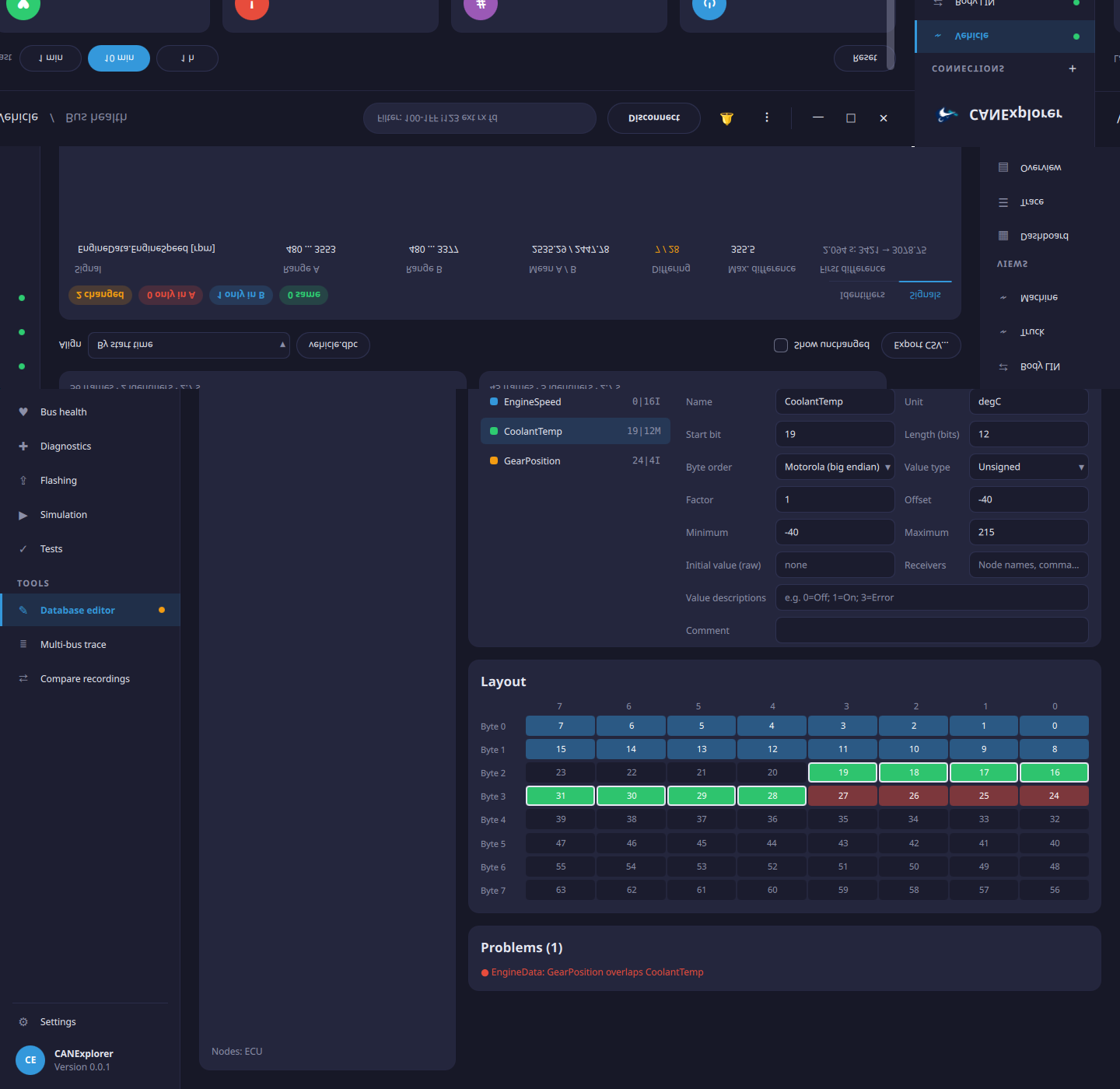
Problems lists what makes frames undecodable or ambiguous: overlapping signals, signals reaching beyond the message length, minimums above maximums and identifiers used by two messages. They do not prevent saving.
LIN databases
A LIN description file opens with four tabs.
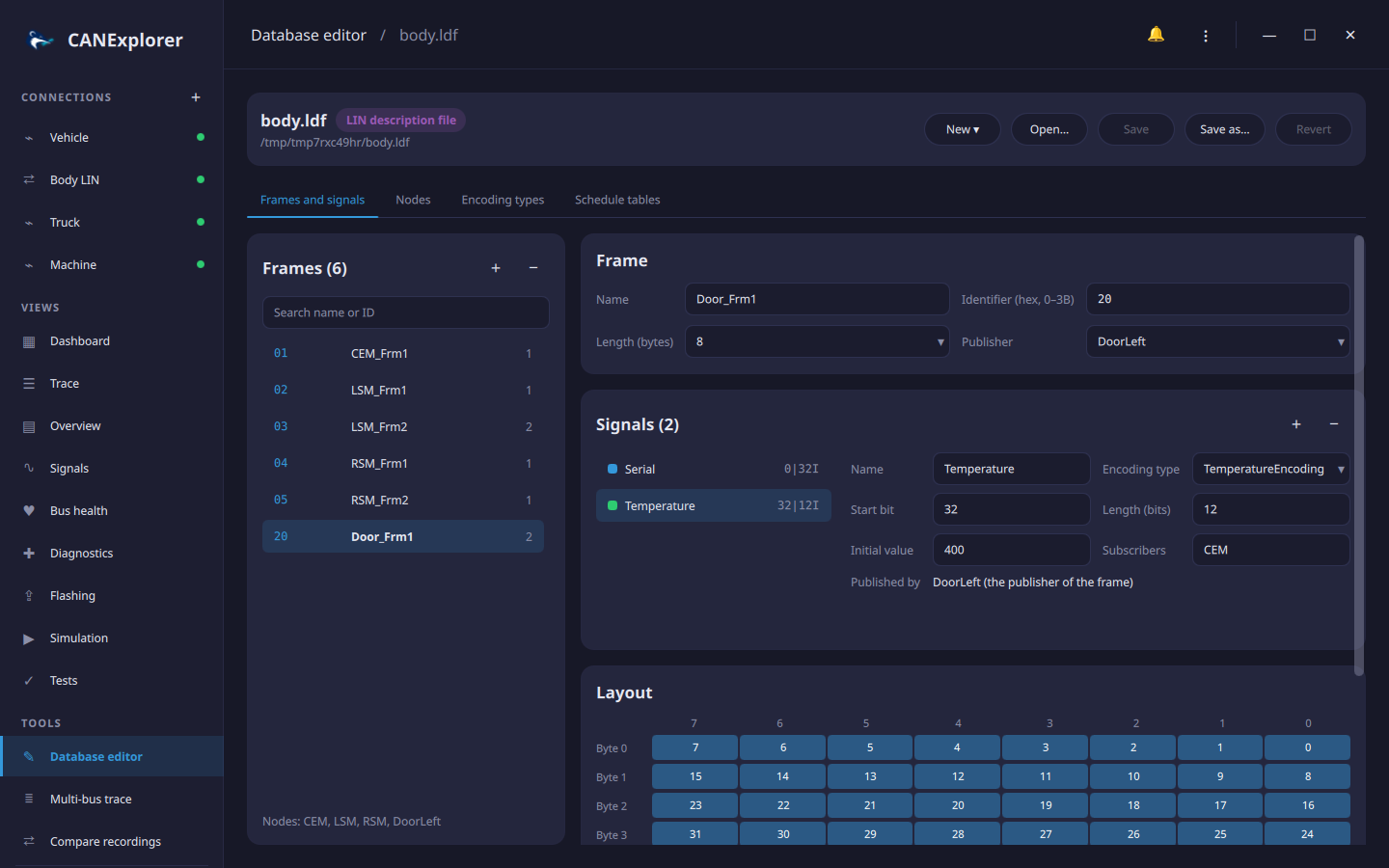
Frames and signals works like the CAN messages above, with the properties of LIN frames and signals:
| Frame | |
|---|---|
| Identifier | 0 to 0x3B (0x3C and above are the diagnostic frames) |
| Length | 1 to 8 bytes |
| Publisher | The node sending the response; it also publishes the frame's signals |
| Signal | |
|---|---|
| Start bit, length | Bit offset in the frame and width (1 to 64 bits); LIN sends the least significant bit first |
| Initial value | A number, or for byte arrays the bytes, e.g. 1, 2, 3, 4 for a 32 bit signal |
| Subscribers | The nodes receiving the signal |
| Encoding type | How raw values translate into physical values and texts, see below |
Nodes sets the bus speed, the LIN protocol and language versions, the channel name and the master node with its time base and jitter, and lists the slave nodes with their node attributes: configured and initial NAD, supplier and function ID, variant and LIN protocol. Renaming a node renames it in all frames, signals and schedule tables; a node that still publishes frames or signals cannot be removed.
Encoding types and Schedule tables are edited as text in the syntax of the LDF and checked when Apply is pressed:
Renaming a frame or signal also renames it in schedule tables, sporadic and event triggered frames, node attributes and encodings; removing a frame removes its signals and its schedule entries. The file is written in the LDF syntax and read back with the LIN parser before it replaces the file, so only valid files are saved. Comments of the original file are not kept.